The madVR Envy was just awarded ”2023 Best Video Processor” by Secrets of Home Theater and High Fidelity. This is the third consecutive year that a major industry publication named the Envy best video processor. This prestigious recognition highlights our consistent excellence in video processing and commitment to delivering continual innovation using cutting edge, modern day hardware.
We are absolutely thrilled, humbled, and honored to announce that our madVR Labs Envy Extreme MK2 has received an astonishing five industry awards at CEDIA 2023!
🌟 Full List of Awards: 1️⃣ CEDIA 2023 Best New Hardware Product Award 2️⃣ AVS Forum Best in Show Award 3️⃣ ProjectorCentral.com Best in Show Award 4️⃣ Sound & Vision CEDIA 2023 Editor’s Pick Award 5️⃣ AVS Forum Best in Show Award for the main demo room experience, in conjunction with our exceptional show partners Trinnov Audio, Ascendo, Kaleidescape, Barco Residential, Seymour-Screen Excellence and Officina Acustica.
A heartfelt ”Thank You” to our brilliant team, our invaluable partners, and our ever-supportive community and valued customers. Your trust and support fuel our innovation and achievements.
The CEDIA 2023 madVR Labs team proudly displaying some of our awards.
A madVR Labs jam-packed demo session in the award-winning CEDIA demo room
New from CEDIA 2023! Watch as Mark Henninger of Sound & Vision and Richard Litofsky discuss the issue of motion blur on modern displays, and how to solve this with MotionAI.
Watch as Michael Stevens and Richard Litofsky demonstrate MotionAI.
Jiles McCoy from Home Theater Fanatics interviews people at CEDIA 2023 to get their impressions of the madVR Envy Extreme MK2.
We are thrilled to announce that our madVR Envy Extreme MK2 has just been awarded the prestigious ProjectorCentral Editor’s Choice Award in this just-published, 5-star review! This is a testament to our dedication to providing the best possible video processing experience for our valued customers like you.
“The madVR Envy video processors provide a robust feature set that continues to grow and move this very small segment of the industry forward to keep up with today’s needs in video, while also setting madVR apart from the competition with their forward-looking outlook and approach to what today’s video processor can be and should be.”
“There’s a reason you see an Envy paired with so many brands at tradeshows. There’s a reason it has garnered so many accolades in the short time it’s been in the market. It really is a great product. When looking at the big picture of what it offers now and will offer in the future, such as MotionAI and other upcoming features being developed by madVR, it’s understandable why it receives the praise it does.”
“It has a very premium, high-end look and appeal, very attractive and much preferred over the MK1, and the included rack ears and mounting hardware are very much appreciated.”
“MotionAI really is one of the better implementations I’ve seen of motion interpolation. It even corrected the menu navigation on Apple TV and Kaleidescape, which I set in both devices to output at 23.976 Hz, resulting in menus that have a choppy look during navigation. With MotionAI, those menus looked as clean and smooth as when they are set to 60 Hz.”
“I’m glad to say that in most cases the MotionAI was right on the heels of Sony’s motion handling, or met it equally, or at times even exceeded it. The most impressive part to me was how little Soap Opera Effect there was, and therefore how well the MotionAI was able to improve clarity without losing that film-like look.”
“Instant Aspect Ratio control truly is instant […] and the transition is seamless, with each aspect ratio correctly displayed. There is no visible lag in the switch…”
“The original Envy Extreme (now designated the MK1) introduced a number of sophisticated features that have been brought along, including class leading frame-by-frame dynamic tone mapping for HDR, scaling, high-precision color calibration, and a wealth of others….”
“The Dynamic Tone Mapping that the Envy performs is some of the best I’ve seen. Regardless if the content is mastered with a maximum peak of 10,000, 4,000, or 1,000 nits, it’s displayed with a high APL while resolving detail that would normally be clipped if using a display’s own tone-mapping solution. This is also true when using the Envy for direct view displays such as an LED or OLED.”
“Those familiar or curious about Envy may have seen various videos of scenes from Harry Potter when he was fighting Voldemort alongside the ghosts of his parents in The Goblet of Fire, or shots from Aquaman when Aquaman is chained before his brother that show the detail in the window behind the throne. All of those impressive demos are legit; the Envy really does resolve all of that detail while keeping the picture bright and vibrant.”
“The Envy is capable of insanely large LUT (look-up table) calibrations allowing for interpolated 256^3 3D LUTs (16.7 million points) and 4,096-point 1D LUTs. The process is quick and produces outstanding results.”
“The Extreme MK2 is extremely quiet. I could only hear the unit if I was standing right next to it and putting my ear near it.”
“The menu system is laid out very well […] you’re not seeing a bunch of menus for stuff unrelated to what you’re trying to do. There is also a Help function on screen with a brief description of what you have highlighted.”
“If assistance is needed from a dealer, installer, or even madVR themselves they can (with the user’s permission) remote in and control the unit. Nor do you have to look much further than the new five-year parts-and-labor warranty on the Envy Extreme and Pro MK2 units to see proof of the company’s commitment to consumers and dealers. I believe that is unmatched for a product like this.”
“Fortunately, the Envy, especially with its constantly evolving feature set, will likely outlive anything in your theaterand serve you well into your next projector.”
“For all of these reasons—it’simpeccable engineering, superb build quality, future-focused features that truly enhance the viewing experience, and excellent customer support, it easily adds the ProjectorCentral Editor’s Choice award to its long list of accolades.”
See the Envy on the Samsung 146″ Micro-LED Wall with MotionAI in the Samsung Experience Center in Dallas, Texas, and get a closer look at the MK2 case design.
Rockville, MD, April 12, 2023 – madVR Labs, the industry-leading manufacturer of high-performance video processors for high-end home theaters and media rooms, is thrilled to announce the Envy MK2 Series, the next generation of their acclaimed Envy Extreme and Pro video processors. The Envy MK2 represents a significant upgrade from the previous generation and further solidifies the company’s position as a market leader today and well into the future.
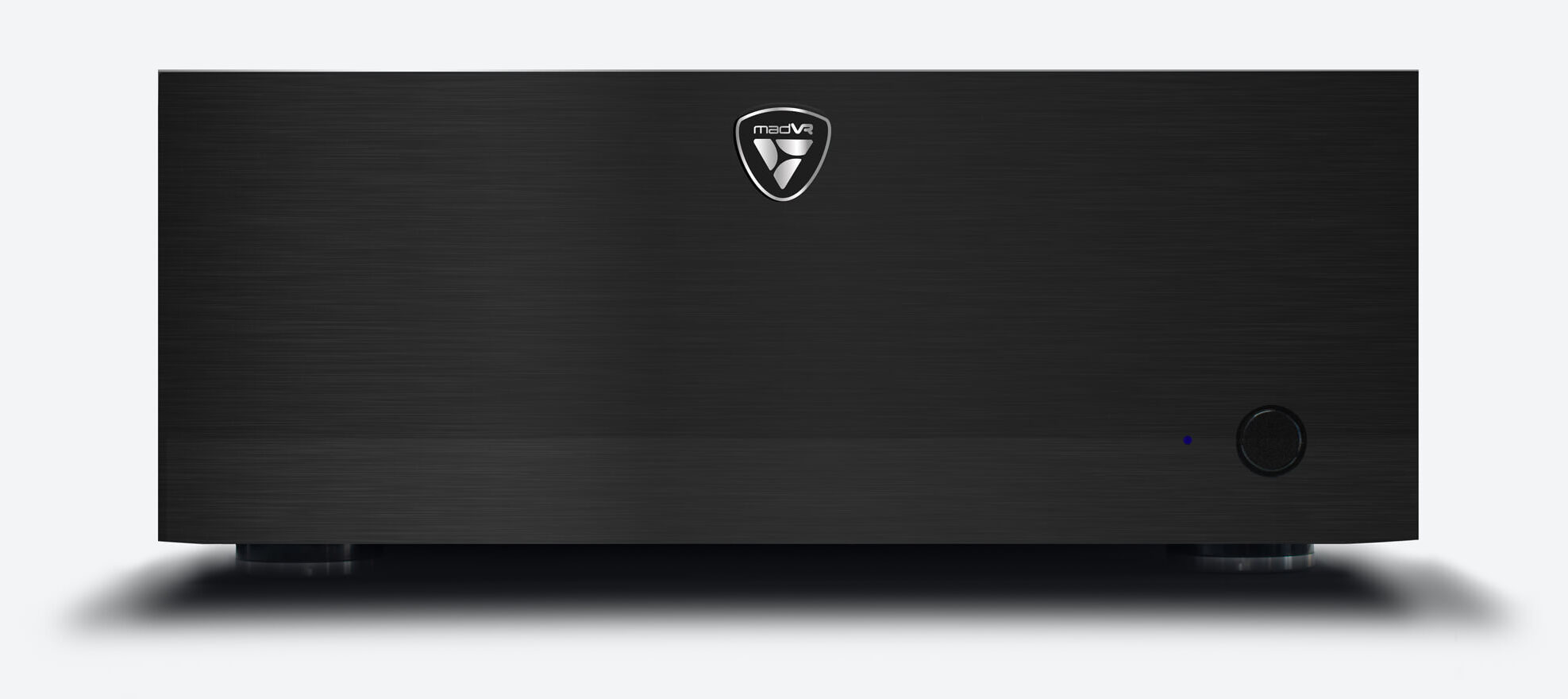
The madVR Envy MK2 is a true powerhouse, with a huge boost in GPU power, upgraded system components including ECC RAM normally only found in mission critical servers, a redesigned cooling system, a new aluminum face premium backlit remote control, and an exquisite custom case. Its new Glacier X2 cooling system delivers exceptionally efficient cooling, now essentially inaudible from just a couple of feet away when running in Silent mode.
The Extreme MK2 uses the Nvidia 4080 GPU, boosting GPU power by as much as 100% and providing important headroom now and into the future, for MotionAI and other AI-based algorithms. The Envy Pro MK2 will also feature an upgraded GPU over its predecessor, with a triple-fan design for enhanced cooling efficiency and noise reduction, and share the same high-end case and premium components (aside from the GPU) as found in the Extreme MK2.
The Envy MK2 is housed in a brand new, custom engineered all-aluminum 3 mm case with a 20 mm front plate and custom matching rack ears. The engineering process involved multiple rounds of obsessive prototyping, spanning a year and a half to ensure that every aspect of the MK2 was designed and built to meet the highest standards of quality and performance. The MK2 models come with an unmatched 5-year warranty on parts and labor to give customers peace of mind and confidence in its build quality.
The company’s vision is to use adaptable modern-day hardware to deliver products that take full advantage of the latest technological advances, including Artificial Intelligence (AI), such as found in their MotionAI per-pixel motion interpolation, another industry first for the company, currently in beta.
Audio Advice founderLeon Shaw, a 47+ year A/V veteran and industry icon, switched to the Envy Extreme as his video processor of choice after first seeing the Envy Extreme MK1 in 2020. He is ecstatic about the new Envy MK2 Series and says, “The completely redesigned MK2 brings the Envy to an entirely new level, making it an even better choice for any serious home theater. Some of the technology in the Envy MK2 is not only new for them but is revolutionary for the entire industry. In all my years, I’ve never seen a company go from a start up to a luxury brand in just three short years like madVR Labs has. I’ve been very impressed how fast their team innovates and love the fact they invite our feedback. And as an added bonus, their menu system is the best I have seen on a piece of AV gear. I can’t wait to see the future updates Envy rolls out for the MK2 version as its huge amount of processing power will allow them to continue down the innovation path.”
madVR Labs Co-Founder and CEO Richard T. Litofsky says “I am incredibly proud of our team for this accomplishment and grateful to our esteemed dealers, distributors, and customers around the world for their exceptional support and feedback, which was a driving force behind the MK2 design. We believe the Envy MK2 delivers on all fronts – best-in-class video quality and performance, build quality and high reliability, and ease of use.”
The company is currently taking orders for the MK2 models. The Envy Extreme MK2 is set to start shipping in limited quantities from late April 2023. Early units will ship with the MK1 remote control, which will be replaced at no charge when the premium backlit remote control is available shortly thereafter. The Envy Pro MK2 is expected to begin shipping in summer 2023. MSRP in Europe is 21,125 EUR* and 12,790 EUR* for the Extreme MK2 and Pro MK2 respectively. Please check with your authorized Envy dealer for details or contact the company at www.madvrenvy.com.
Qualifying owners of the madVR Envy Extreme MK1 will soon have the exciting opportunity to upgrade to a brand new Extreme MK2 for just 6240 EUR* with a new 5-year warranty, by trading in their Extreme MK1 in good physical condition. The company is also introducing a program for those interested in purchasing a preowned Envy Extreme MK1 with new 2- year warranty, for an outstanding value through authorized dealers, on an as-available basis. Although the MK1 models will no longer be manufactured, the MK1 will still be supported and continue to receive firmware updates.
The Envy Extreme MK2 will make its first public showing at the TOLA Expo in Dallas, Texas, May 2-4, 2023, where it will power the video processing in the show’s main demo room, paired with the new Samsung 140” Micro LED TV. madVR Labs will also have a booth at this exciting event. Come out and meet madVR Labs’ Head of Support and Training Ryan Charpentier, Senior Sales Manager Joey Peacock, and CEO Richard Litofsky for your personal demo of the Extreme MK2.
*Pricing varies by country. Check with your local Envy dealer for pricing in your area
Come see the madVR Envy and meet some of our team at ISE 2023. madVR Labs Co-founder and CEO Richard Litofsky, and head of Training and Support Ryan Charpentier, will be happy to greet you on the show floor in Barcelona, from Tuesday, January 31st through Friday, February 3rd.
How to Experience the Envy at ISE
The Envy will be featured in the following locations at ISE 2023:
1. Our official show booth is 2L600, where we will be exhibiting alongside our esteemed madVR Envy distributor ADEO. Meet with us for an in-depth demonstration of our latest AI-motion interpolation and see what all the hype is about!
2. The madVR Envy Extreme will be featured with our partner Trinnov Audio, and Sony, Krix and Officina Acustica in their massive, high-end demo room, featuring a 13.16.6 Atmos setup with a Krix Double Bass Array consisting of sixteen Cyclonix 18” subwoofers (yes, 16 – that’s not a typo!). The Envy will be paired with the Sony VPL-GTZ380 that is sure to blow minds, just like at CEDIA 2022. Booth location: 2D150.
3. The madVR Envy Extreme will also be featured with our partner StormAudio in the Alcons Audio demo room, paired with a Sony VPL-XW7000ES with an impressive 11.7.8 Atmos setup sure to turn heads. Booth location 7K600.
See the World’s First AI-Based Motion Interpolation
We’re excited to demonstrate the latest developments in our upcoming Motion Interpolation technology when we meet at ISE. If you are an A/V industry professional please book your meeting now for a private demo. If you are an A/V enthusiast, we would also love to meet with you – please stop by booth 2L600 at
Den mest avancerade, moderna videoprocessorn för high-end bio
Discover the madVR Envy
The award-winning madVR Envy uses our patent-pending video processing to deliver the ultimate picture quality in your dedicated home theater. Enjoy the most dramatic yet highly accurate 4K HDR dynamic tone mapping, instant aspect ratio detection, subtitle management for scope screens, and non-linear stretch unlike anything you’ve ever seen. The Envy also offers unrivaled 4K upscaling, specialized sharpening and detail enhancement, 3D and 1D LUT calibration with unprecedented precision, and much more. The Envy is the first and only dedicated video processor to use machine learning algorithms with real-time video streams, taking your video quality to a whole new level. The Envy installs in minutes and is a joy to use.